



-
![Chartered Accountancy (CA) icon]() Chartered Accountancy (CA)
Chartered Accountancy (CA)
-
![PRC-01 — Fundamentals of Accounting icon]() PRC-01 — Fundamentals of Accounting
PRC-01 — Fundamentals of Accounting
-
![PRC-02 — Quantitative Analysis for Business icon]() PRC-02 — Quantitative Analysis for Business
PRC-02 — Quantitative Analysis for Business
-
![PRC-03 — Business and Economic Insights icon]() PRC-03 — Business and Economic Insights
PRC-03 — Business and Economic Insights
-
![PRC — English Communication Skills icon]() PRC — English Communication Skills
PRC — English Communication Skills
-
![CAF-01 — Financial Accounting and Reporting icon]() CAF-01 — Financial Accounting and Reporting
CAF-01 — Financial Accounting and Reporting
-
![CAF-02 — Taxation Principles and Compliance icon]() CAF-02 — Taxation Principles and Compliance
CAF-02 — Taxation Principles and Compliance
-
![CAF-03 — Data, Systems and Risks icon]() CAF-03 — Data, Systems and Risks
CAF-03 — Data, Systems and Risks
-
![CAF-04 — Business Law Dynamics icon]() CAF-04 — Business Law Dynamics
CAF-04 — Business Law Dynamics
-
![CAF-05 — Management Accounting icon]() CAF-05 — Management Accounting
CAF-05 — Management Accounting
-
![CAF-06 — Corporate Reporting icon]() CAF-06 — Corporate Reporting
CAF-06 — Corporate Reporting
-
![CAF-07 — Business Insights and Analysis icon]() CAF-07 — Business Insights and Analysis
CAF-07 — Business Insights and Analysis
-
![CAF-08 — Audit and Assurance Essentials icon]() CAF-08 — Audit and Assurance Essentials
CAF-08 — Audit and Assurance Essentials
-
![GCC-01 — Business Concept and Environment icon]() GCC-01 — Business Concept and Environment
GCC-01 — Business Concept and Environment
-
-
![ACCA & Professional Accounting icon]() ACCA & Professional Accounting
ACCA & Professional Accounting
-
![Professional Certifications & Skills icon]() Professional Certifications & Skills
Professional Certifications & Skills
-
![School & College Education icon]() School & College Education
School & College Education
-
![Business, Career & Personal Development icon]() Business, Career & Personal Development
Business, Career & Personal Development
-
![Business Management & Strategy icon]() Business Management & Strategy
Business Management & Strategy
-
![Entrepreneurship & Startups icon]() Entrepreneurship & Startups
Entrepreneurship & Startups
-
![Leadership & People Management icon]() Leadership & People Management
Leadership & People Management
-
![Communication, Negotiation & Presentation icon]() Communication, Negotiation & Presentation
Communication, Negotiation & Presentation
-
![Sales & Business Development icon]() Sales & Business Development
Sales & Business Development
-
![Marketing & Digital Marketing icon]() Marketing & Digital Marketing
Marketing & Digital Marketing
-
![Career Development & Employability icon]() Career Development & Employability
Career Development & Employability
-
![Freelancing & Remote Work icon]() Freelancing & Remote Work
Freelancing & Remote Work
-
![Productivity & Personal Effectiveness icon]() Productivity & Personal Effectiveness
Productivity & Personal Effectiveness
-
![Personal Finance & Financial Literacy icon]() Personal Finance & Financial Literacy
Personal Finance & Financial Literacy
-
![Wellbeing & Personal Growth icon]() Wellbeing & Personal Growth
Wellbeing & Personal Growth
-










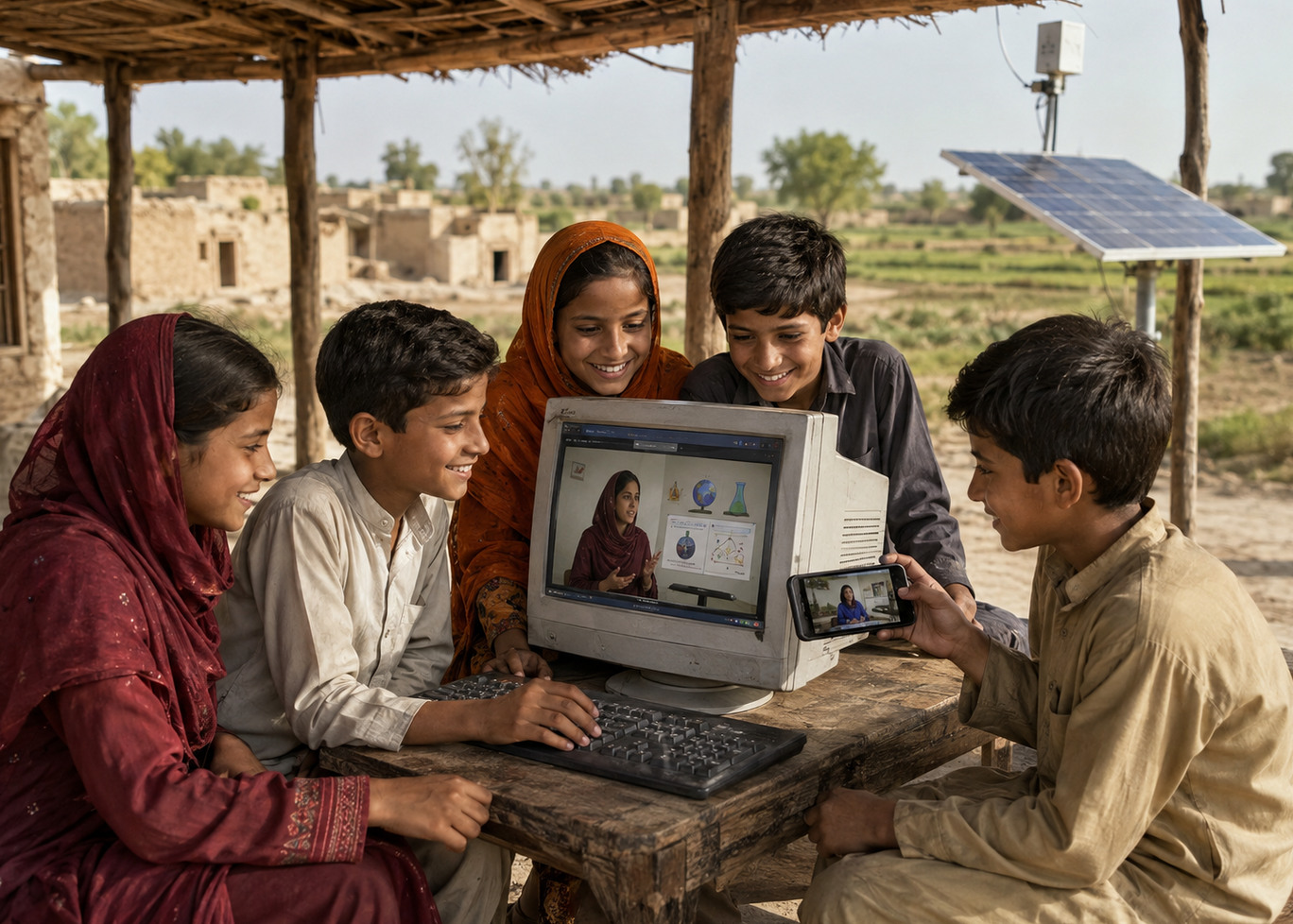
How Can Learners in Remote Areas Access Online Education?
A Practical Guide to Learning Through Mobile Devices and Limited Connectivity
Learn how remote-area students can access online classes, courses and eBooks through smartphones, tablets and practical connectivity planning.
How Can Learners in Remote Areas Access Online Education?
Learners in remote areas can access online education through smartphones, tablets or computers by selecting suitable learning formats, planning mobile-data use, downloading authorized resources when connectivity is available and preparing backup arrangements for live sessions.
A reliable laptop and continuous broadband connection can be helpful, but they are not the only routes to digital learning. Mobile applications, recorded courses, eBooks, downloadable materials and carefully scheduled live classes can extend educational access beyond major cities and conventional classrooms.
Start With the Learning Goal
Begin by identifying what you need to learn and why. A learner preparing for an examination may need a structured course and instructor guidance, while someone developing a practical skill may benefit from recorded demonstrations, exercises and occasional live support.
A clear objective prevents limited data, time and money from being spent on unrelated resources. Review the course or product description and confirm that its level, language, subject and expected outcome match your requirements.
Use the Device You Already Have
A modern smartphone can provide access to live meetings, recorded lessons, quizzes, messages, course materials and eBooks where the relevant platform supports mobile use. A tablet may offer a larger reading and video area while remaining easier to charge and transport than a computer.
Before enrolling, confirm that the learning material works on your device. Check the required operating system, application, browser, file format, storage space and whether important activities can be completed comfortably on a smaller screen.
Plan Mobile-Data Use Carefully
Live video normally uses more data than reading text, completing a quiz or downloading a document. Learners relying on mobile networks should understand their data package and avoid unnecessary background applications during classes.
When permitted, download course files, eBooks or recorded materials while connected to a reliable and affordable network. Study the downloaded content offline and reconnect when you need to submit work, receive feedback or access an updated resource.
Choose a Format That Matches Your Connection
Live classes offer direct interaction but require a reasonably stable connection at a specific time. Self-paced courses allow lessons to be accessed when connectivity is stronger. eBooks and authorized downloadable resources may be more practical where continuous internet service is unavailable.
A blended approach may provide the best balance. A learner can study downloaded material independently, complete self-paced activities and schedule occasional live meetings for difficult questions or progress reviews.
Identify the Best Time and Place to Connect
Mobile-network performance may vary according to location, weather, demand and time of day. Test the connection in different parts of the home or community and identify where audio, video and downloads work most reliably.
Where appropriate and safe, a school, library, community centre or shared learning location may provide a more stable study environment. Obtain permission before using another person’s network and avoid entering passwords or sensitive information on an untrusted public connection.
Prepare for Electricity Interruptions
Charge devices before a scheduled class and keep a suitable power bank available where practical. Reduce screen brightness, close unused applications and activate appropriate battery-saving settings when electricity may be interrupted.
Solar charging can support learning in locations with sufficient sunlight and limited grid access, but equipment should be appropriate for the device and used according to manufacturer safety instructions. Essential files should be downloaded before the battery or connection becomes critical.
Create a Backup Plan for Live Classes
Before a live session, check whether you can reconnect through another mobile network or device. Keep the instructor’s approved communication channel available so you can report a genuine connection problem.
Ask in advance what happens if connectivity prevents attendance. Depending on the class and applicable permissions, the provider may offer a recording, alternative resource, rescheduled meeting or another form of support. Do not assume that every missed session will automatically be repeated or refunded.
Keep Learning Materials Organized
Create clearly named folders for lessons, assignments, notes and downloaded resources. Remove duplicate files and back up important work to an approved cloud service, memory device or another secure location when possible.
Maintain a simple written study plan in case the device is temporarily unavailable. Record upcoming sessions, deadlines and topics requiring instructor assistance so learning can continue consistently despite technical limitations.
Evaluate the Instructor and Course Before Paying
Confirm that the educator or course can support your available device, connection and schedule. Ask whether lessons require continuous video, large downloads, specialist software or activities that cannot be completed through a smartphone.
Review the instructor’s expertise, delivery format, availability and published course information. Use the Instructor Map to explore available educators and compare relevant options before booking.
Protect Your Account and Personal Information
Use a strong password, protect verification codes and avoid sharing your account with other people. Download applications and learning files only from trusted sources, and keep the device’s operating system and security features updated.
Do not upload identification documents, private photographs or confidential records unless they are genuinely required and submitted through the correct protected process. Review the Academy’s Privacy Policy and report suspicious messages or access requests.
Support Younger and Vulnerable Learners
Parents and guardians should help younger learners select appropriate instructors, understand communication rules and use online sessions safely. Devices should be positioned in a suitable learning space, and private off-platform contact should not be encouraged.
Review the Safeguarding Policy and report concerning behaviour through the appropriate channel. Limited geographic access should never require a learner to compromise privacy or personal safety.
Online Learning Can Extend Beyond Location
Remote-area learners may face practical limitations, but thoughtful use of smartphones, mobile applications, downloaded resources, flexible formats and backup arrangements can make online education more accessible.
Start with one clear learning goal, select a format suited to your connection and device, prepare for interruptions and study consistently. Technology is most valuable when it connects the learner with reliable knowledge, appropriate guidance and practical opportunities for progress.

BGB-360 Academy
More from BGB-360 Academy

Live Classes, Self-Paced ...
28 Aug 2026
How to Choose the Right Online ...
28 Aug 2026
How Can Students Use AI ...
28 Aug 2026
Comments
Stay Informed About BGB 360 Academy


Policies & Information
About Acceptable Conduct Privacy Policy Refund Policy Reward Points Safeguarding Terms of UseContact Us


Reply to Comment